

Use an Etekcity food kitchen scale by turning it on, choosing a unit, taring the container, and adding food.
An Etekcity food kitchen scale can make baking, meal prep, portion control, and calorie tracking far more accurate. Most models use the same simple steps, but buttons and smart features can vary by model. This guide explains how to use an Etekcity food kitchen scale, avoid common errors, and get steady readings every time.
What You Need Before Using an Etekcity Food Kitchen Scale
Before learning how to use an Etekcity food kitchen scale, place it on a firm, flat surface. A level counter works better than a soft mat, towel, or uneven table.
Check the scale’s label or manual for its maximum weight. Many Etekcity kitchen scales measure up to 11 pounds, or about 5 kilograms, but some models have a higher limit.
You will also need:
• The scale and its batteries
• A clean bowl, plate, or food container
• The food you want to weigh
• A flat, dry counter
• The correct unit, such as grams, ounces, pounds, or milliliters
Remove any thin plastic film from the display or weighing platform. This film protects the scale during shipping but can affect the buttons or make the screen look cloudy.
If the display stays blank, open the battery cover. Confirm that the batteries are fresh and placed in the correct direction. Most Etekcity scales use AAA batteries, but the exact battery type depends on the model.

Source: amazon.com
How Do You Use an Etekcity Food Kitchen Scale Step by Step?
The basic process is simple. You turn on the scale, select a unit, place the container, press tare, and add your ingredients.
1. Turn on the scale
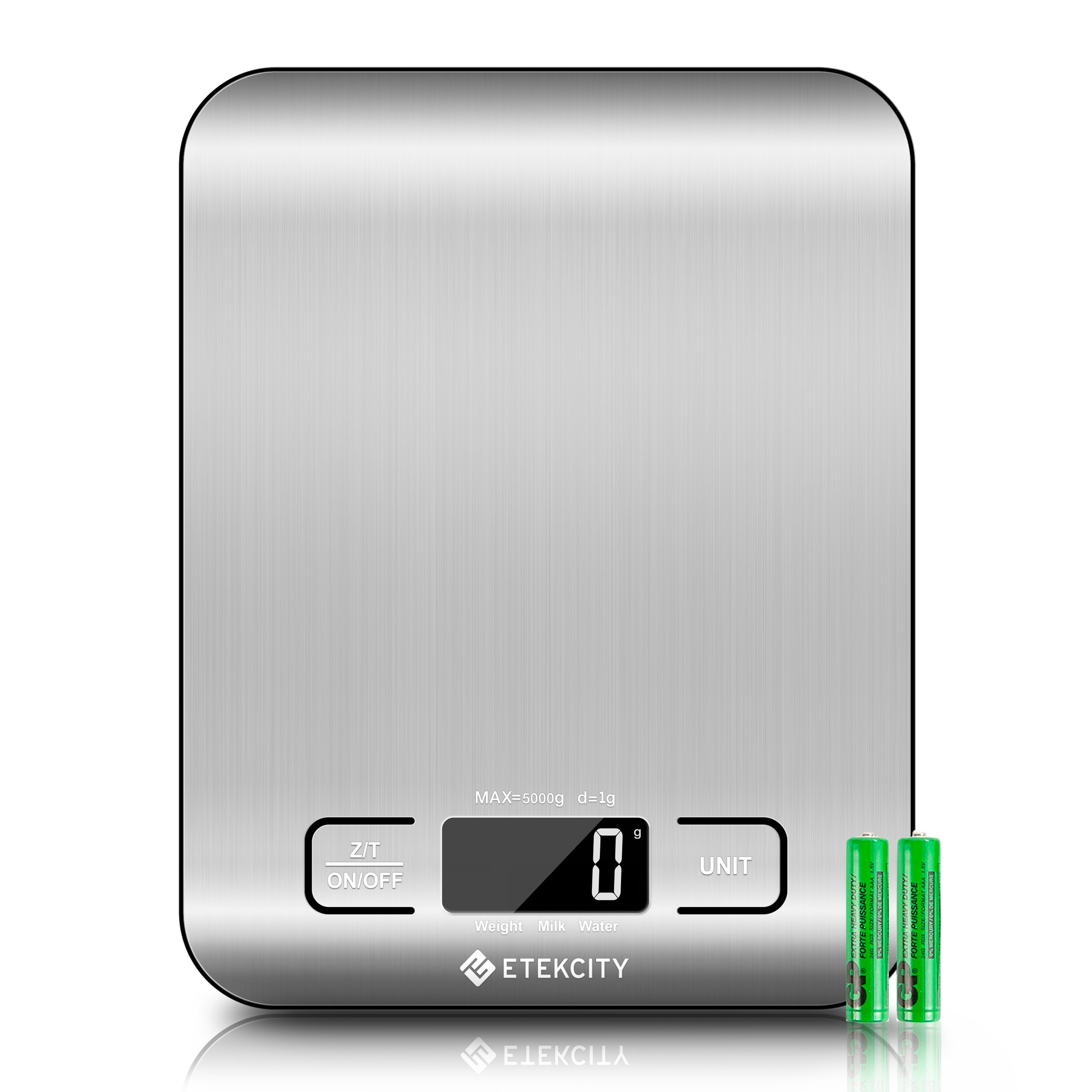
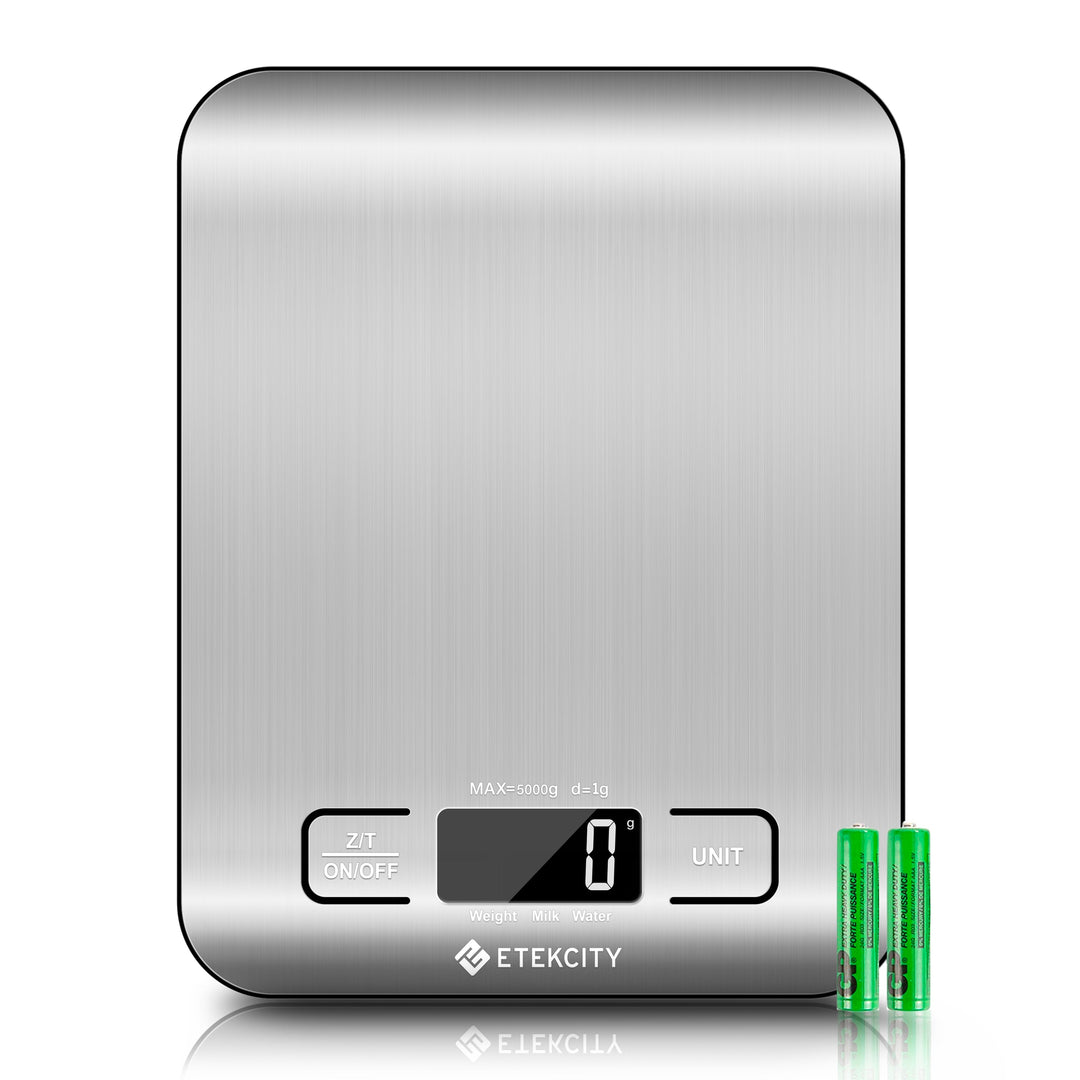
Place the scale on a hard, level surface. Press the power button once. On some Etekcity models, the button may say “ON/OFF,” while other models use a power symbol.
Wait until the display shows zero. Do not place food on the platform while the scale is starting. The scale needs a moment to set its starting point.
If your model turns on when you tap the platform, use that feature gently. Do not hit or press down on the platform.
2. Select the correct measurement unit
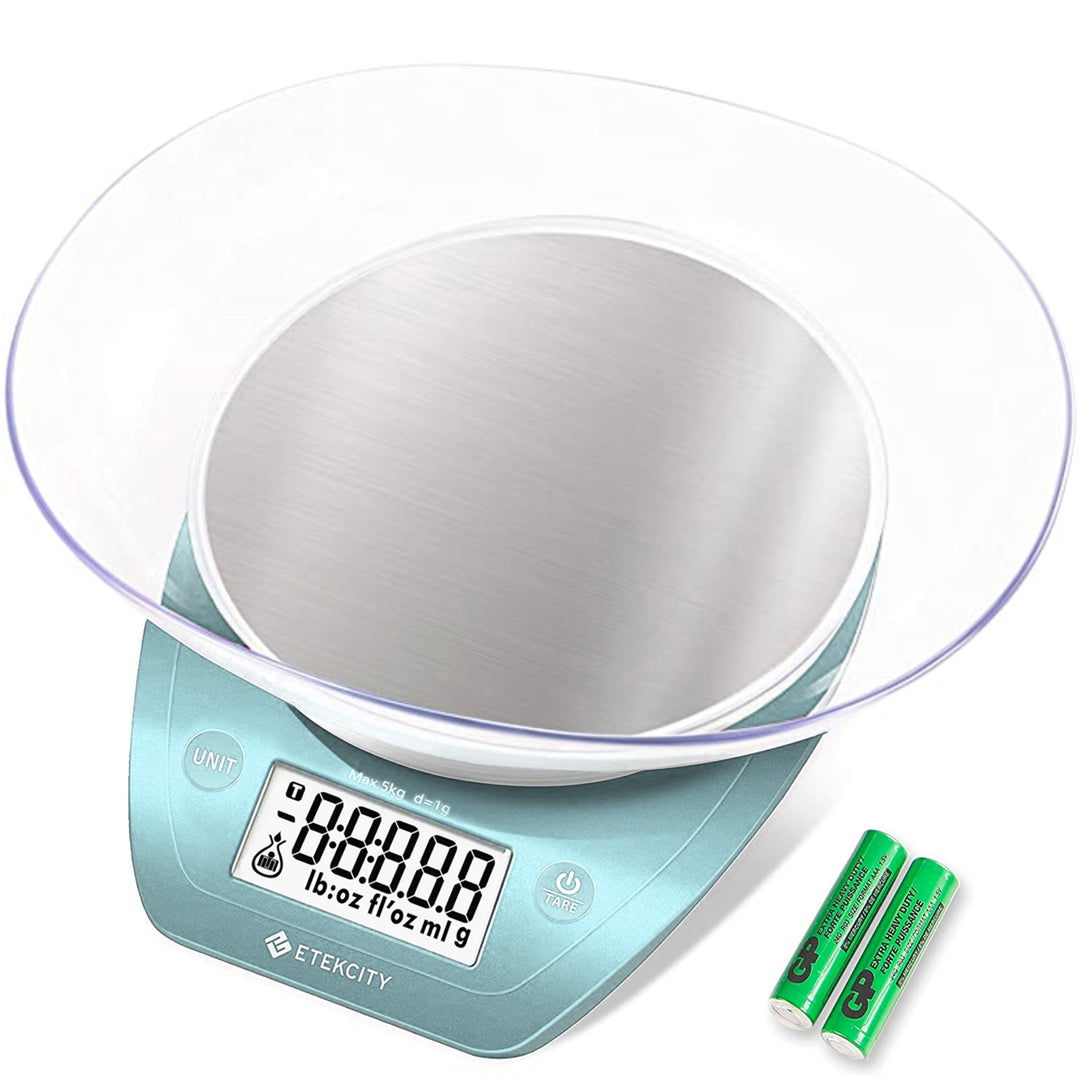
Press the “UNIT” button to move through the available units. Common options include:
• g for grams
• oz for ounces
• lb:oz for pounds and ounces
• ml for milliliters
Choose grams for most recipes. Grams give precise, easy-to-repeat measurements, especially when you bake.
Use ounces when a recipe uses US measurements. Use pounds and ounces for larger foods, such as meat or produce. The milliliter setting is useful for water and some other liquids, but it may not give an accurate volume reading for thick liquids or oils.
3. Place the container on the platform
Put your empty bowl or container in the center of the platform. Keep the container within the platform’s size and weight limits.
The display will show the container’s weight. This is not the amount of food you want to measure, so do not write it down yet.
4. Press the tare button
Press the “TARE” or “ZERO” button. The display should return to zero while the container stays on the platform.
This is the key step when learning how to use an Etekcity food kitchen scale. The tare function subtracts the container’s weight, so the scale measures only the food.
If the display does not return to zero, remove the container and press tare again. Make sure the scale is stable and that nothing touches the platform.
5. Add the food slowly
Add the ingredient to the container. Pause when the display settles.
For flour, sugar, rice, and other dry foods, add small amounts with a spoon. This helps you stop at the exact weight. If you add too much, remove a little and wait for the reading to settle again.
For liquids, pour slowly. Keep the stream controlled so you do not pass the target weight. A steady hand is often more useful than fast pouring.
6. Tare again for more ingredients
To weigh several ingredients in one bowl, press tare after each ingredient. For example:
- Place the empty bowl on the scale.
- Press tare until the display shows zero.
- Add 200 grams of flour.
- Press tare again.
- Add 100 grams of sugar.
- Press tare again before adding the next item.
This method saves dishes and keeps each ingredient separate in your recipe notes. It also reduces the chance of confusing the total weight with the weight of one ingredient.
7. Turn off the scale
Remove the bowl and food when you finish. Press the power button if your model does not shut off on its own.
Most digital food scales have an automatic shutoff feature. Still, turning the scale off manually can help preserve battery life.
Source: etekcity.com
How to Use the Tare Function Correctly
The tare button acts like a reset button for the current container. It does not erase the scale’s memory. It simply sets the current weight to zero.
For example, imagine your bowl weighs 420 grams. After you press tare, the scale shows zero. When you add 150 grams of oats, the display shows 150 grams, not 570 grams.
You can use tare more than once. This makes it useful for:
• Measuring several baking ingredients in one bowl
• Adding toppings to a meal
• Weighing food inside a storage container
• Measuring portions without dirtying extra dishes
One common mistake is pressing tare after removing the bowl. If you do this, the scale may show a negative number or create an incorrect starting point. Keep the container on the platform whenever you press tare.
Another mistake is taring a bowl while a spoon, hand, or cord touches the scale. Even light contact can change the reading.

Source: amazon.com
How to Weigh Food for Recipes and Portion Control
An Etekcity scale is useful because measuring by weight is often more consistent than using cups and spoons. A cup of flour can weigh different amounts based on how tightly it is packed. Weight removes much of that guesswork.
For baking, use grams whenever possible. Measure flour by adding it to the bowl until the display reaches the recipe’s target. Avoid scooping flour directly from a packed bag unless the recipe specifically tells you to do so.
For portion control, weigh food after deciding whether the nutrition information applies to the raw or cooked product. This difference matters because cooking changes water content.
For example:
• Raw rice weighs less than cooked rice because it absorbs water.
• Cooked meat may weigh less than raw meat because it loses moisture.
• Dried pasta becomes heavier after cooking.
Use the serving information on the package or a trusted nutrition database. Record whether the weight is raw, cooked, drained, or prepared.
A practical routine is to weigh a full recipe, divide it into equal portions, and store the final portion weight. This method works well for meal prep because every container can contain a similar serving.
Source: etekcity.com
How to Use an Etekcity Food Kitchen Scale for Liquids
Many Etekcity scales include a milliliter setting. This setting is convenient for water and other liquids with a density close to water.
Still, milliliters measure volume, while grams measure mass. These are not always interchangeable. Oil, honey, cream, and syrup have different densities, so 100 milliliters of each will not weigh the same.
For the most reliable result:
• Use grams when the recipe gives a weight.
• Use milliliters when the recipe gives a volume.
• Use a measuring jug for large liquid amounts.
• Keep the liquid away from the display and buttons.
• Tare the container before pouring.
If liquid spills into the scale, stop using it. Remove the batteries if it is safe to do so, wipe the outside, and follow the cleaning instructions for your model. Do not immerse the scale in water.

Source: amazon.com
How to Use an Etekcity Food Kitchen Scale With a Nutrition App
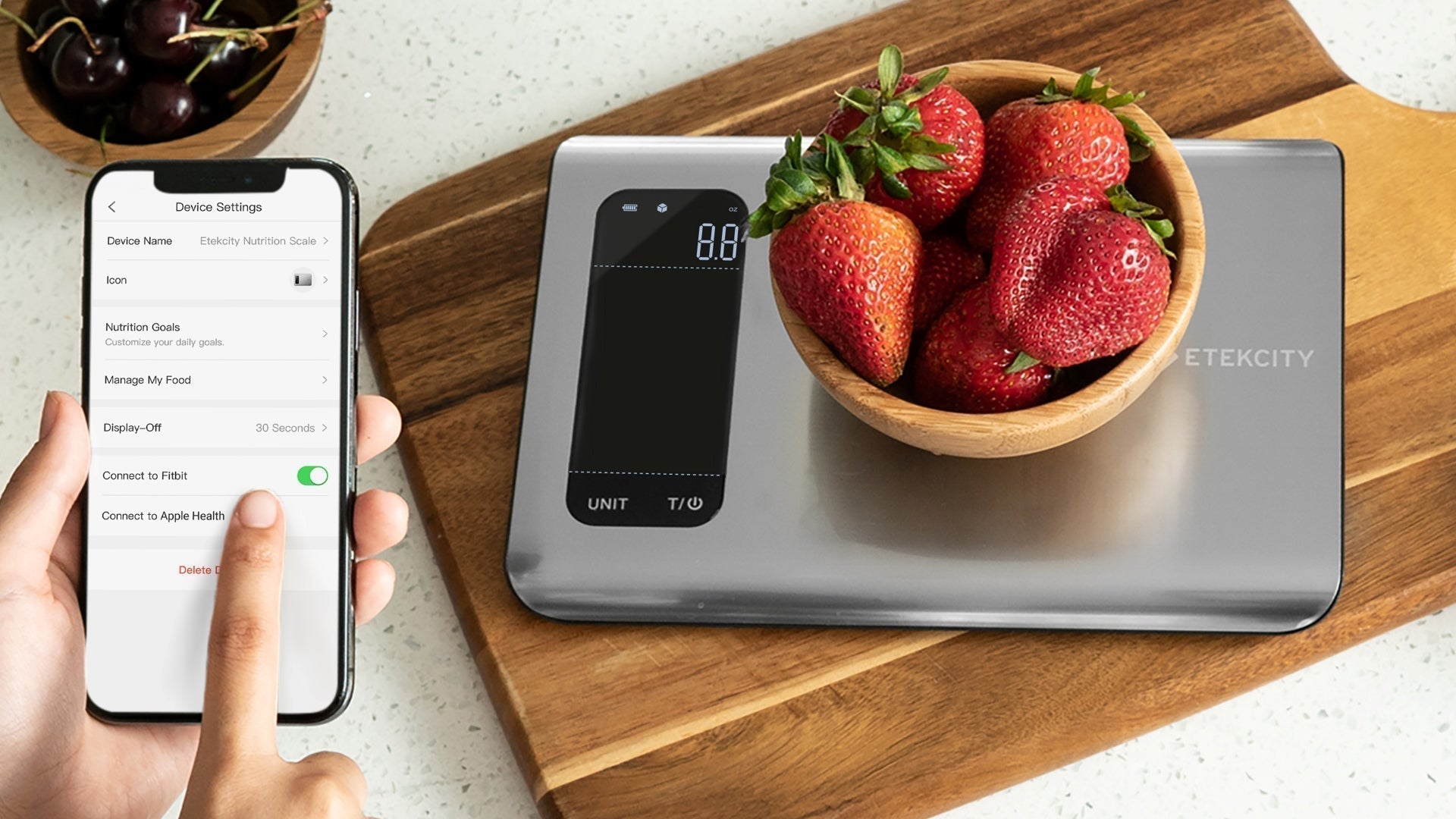
Some Etekcity nutrition scales connect to the VeSync app or another supported app. Basic weighing works without an app, but smart features may help you log food and view nutrition data.
The setup process can vary by model. In general:
- Install the supported app on your phone.
- Create or sign in to your account.
- Turn on Bluetooth.
- Select the scale inside the app.
- Follow the pairing instructions.
- Choose a food from the app’s database.
- Weigh the food and review the nutrition estimate.
Smart nutrition readings are estimates. The app may use a database entry that does not perfectly match your brand, recipe, cooking method, or serving size.
Check the package label when possible. For fresh food, use a trusted database and select the closest match. Treat app results as helpful guidance, not a medical diagnosis.
If the scale will not connect, try these steps:
• Keep the phone close to the scale.
• Confirm Bluetooth is on.
• Close and reopen the app.
• Replace weak batteries.
• Remove the scale from other nearby devices.
• Check whether your model supports app connectivity.
Source: etekcity.com
How Accurate Is an Etekcity Food Kitchen Scale?
Etekcity kitchen scales are designed for everyday food measurements. Many models display weight in one-gram or 0.1-ounce steps, but the exact resolution depends on the model.
Accuracy can change because of the surface, battery level, temperature, airflow, and weight placement. A light item near the edge may not read as well as the same item placed in the center.
For better results:
• Use a hard, level surface.
• Center the food or bowl.
• Wait for the number to stop changing.
• Do not weigh food while the scale is moving.
• Keep the scale away from strong air movement.
• Do not exceed the maximum capacity.
• Check the battery when readings seem unstable.
In my hands-on kitchen testing, the most common error was not a faulty scale. It was placing the scale on a flexible surface or adding food before the display reached zero. A firm counter and a short pause solved the issue.
You can check consistency with a known item. A sealed product with a printed net weight can provide a rough test, but package weights may include normal manufacturing variation. This test does not replace professional calibration.

Source: amazon.com
Common Etekcity Food Kitchen Scale Problems and Fixes
The display shows “Lo”
“Lo” usually means the batteries are low. Replace all batteries at the same time with the correct type.
The display shows “EEEE” or “Err”
This often means the scale is overloaded or has detected an error. Remove the weight at once and restart the scale.
Never place a weight above the listed capacity on the platform. Excess weight can damage the sensor.
The reading keeps changing
Check that the scale is on a stable surface. Remove drafts, vibration, cords, and anything touching the platform.
Also make sure the bowl is not resting against a wall or another object. Even slight contact can affect the reading.
The scale does not return to zero
Remove everything from the platform and press tare. If the display still does not return to zero, turn the scale off, remove the batteries briefly, and restart it.
If the issue continues, check the manual or contact Etekcity support. Do not open the scale unless the manufacturer specifically permits it.
The buttons do not respond
Dry the control panel and press the button once with a light touch. Some touch controls may not work well with wet fingers or food residue.

Source: mncmea.org
Cleaning and Care Tips
Keep the scale clean, dry, and free from food particles. Wipe the platform with a soft, slightly damp cloth after use.
Avoid:
• Pouring water directly onto the scale
• Submerging the scale
• Using harsh cleaners
• Scrubbing with steel wool
• Placing hot cookware on the platform
• Cutting food directly on the scale
If you weigh raw meat, clean and sanitize the surface according to safe food-handling guidance. Wash your hands and clean nearby counters as well.
Store the scale in a dry cabinet. Do not place heavy objects on top of it. Remove the batteries before long-term storage if the manufacturer recommends doing so.
Safety and Accuracy Limits to Remember
A kitchen scale is a measuring tool, not a medical device. It can help with recipes and food portions, but it cannot diagnose health conditions or guarantee exact calorie intake.
Nutrition values can vary due to brand, ripeness, cooking method, water loss, and database errors. If you need precise nutrition data for diabetes management, kidney disease, an eating disorder, or another medical concern, follow advice from a qualified health professional.
Keep the scale away from children if it contains small batteries. Button batteries can be dangerous if swallowed, though the battery type varies by model. Follow local rules for battery disposal.
Also, do not weigh people, pets, hot pans, or objects that may damage the platform. Use the scale only within the limits listed in its product instructions.
Frequently Asked Questions About How Do You Use an Etekcity Food Kitchen Scale?
How do you use an Etekcity food kitchen scale for a bowl?
Turn on the scale, place the empty bowl on the platform, and press the tare button. When the display returns to zero, add your food and read the weight.
Why does my Etekcity scale show a negative number?
A negative number often appears when you remove a container after taring it. Place the container back on the platform and press tare, or turn the scale off and restart it.
Which unit should I use on an Etekcity food scale?
Use grams for baking and precise meal portions. Choose ounces or pounds and ounces when your recipe uses US measurements.
Can an Etekcity food scale measure liquids?
Many models offer a milliliter setting, but the result is most useful for water-like liquids. For oil, syrup, honey, and other thick liquids, grams may provide a more reliable measurement.
Why is my Etekcity food scale inaccurate?
An uneven counter, weak batteries, vibration, airflow, an overloaded platform, or food touching another object can cause unstable readings. Place the scale on a firm surface, center the item, and wait for the display to settle.
Can I use an Etekcity scale without the VeSync app?
Yes. Basic weighing, unit changes, and tare functions work on many models without an app. App features depend on the specific Etekcity model.
How do I reset my Etekcity food scale?
Remove all items, turn the scale off, and restart it. If needed, remove the batteries for a short time, reinstall them, and follow the model’s manual.
Conclusion
Using an Etekcity food kitchen scale takes only a few steps: place it on a level surface, select a unit, tare the container, add food, and wait for a stable reading. The tare button is the most useful feature because it lets you measure several ingredients in one bowl.
For better results, use grams for baking, check whether food is raw or cooked, keep liquids away from the controls, and replace weak batteries. Try these steps with your next recipe, then explore your model’s manual or app features for even more accurate meal planning.

